
In today’s digital world, creating documents online has become an essential skill. Whether for school, college, or professional purposes, having a reliable tool to write, edit, and share documents is crucial. This is where Word Online Free comes in. It allows users to create documents without downloading expensive software, making it accessible to everyone with an internet connection.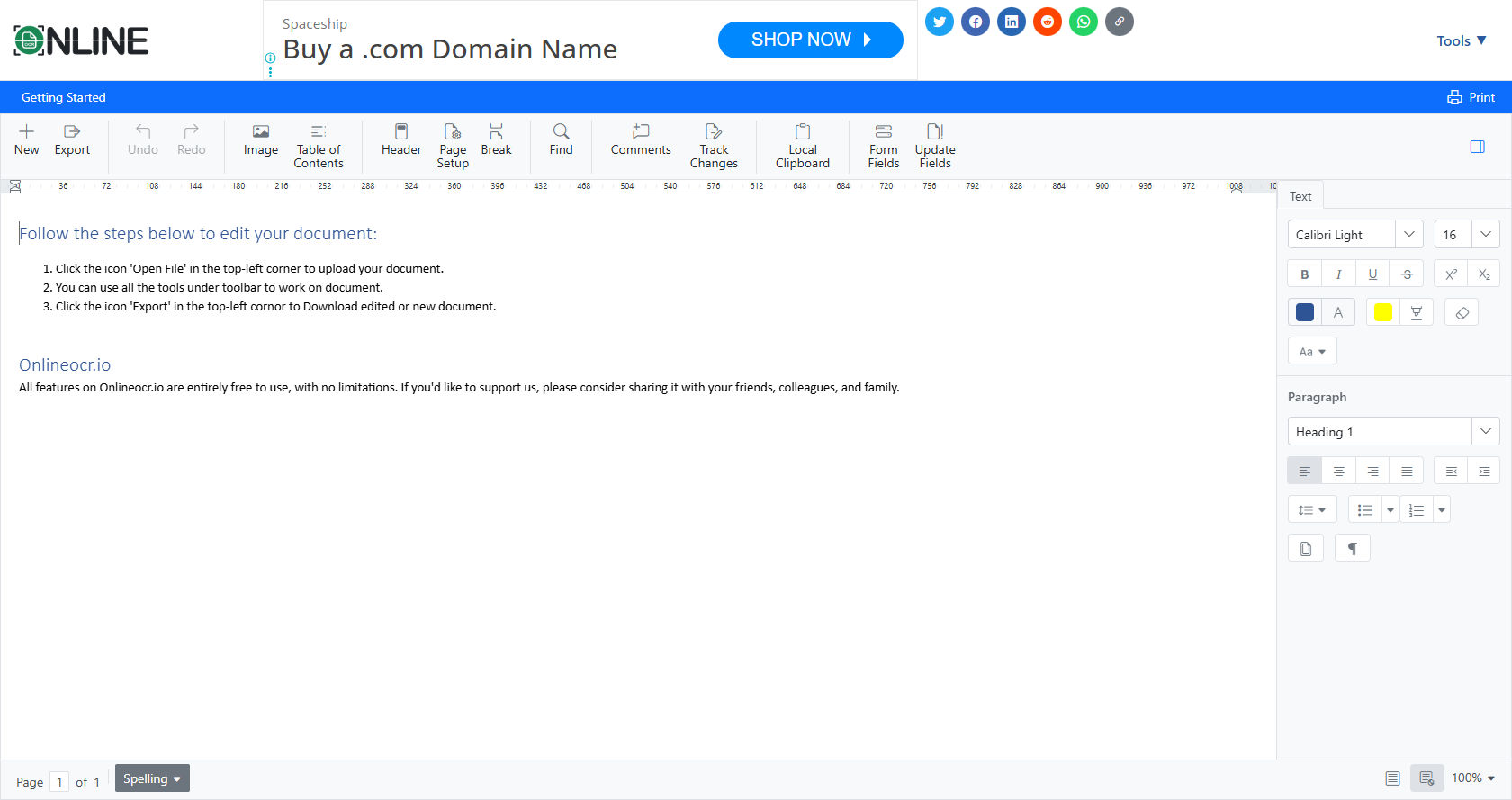
Unlike traditional word processors, Word Online Free runs entirely in a web browser. You don’t need to install any software on your computer.
This is especially useful for students and professionals who need to work from different devices. With just a Microsoft account, you can start creating documents instantly.
Not only does Word Online Free provide essential word processing features, but it also ensures that your work is saved in the cloud automatically. This reduces the risk of losing your files due to computer crashes or accidental deletion.
Key Features of Word Online Free
Accessibility Across Devices
One of the main advantages of Word Online Free is its accessibility. You can access your documents from any device, whether it’s a laptop, tablet, or smartphone. This means you are not limited to a single computer or location.
All changes are saved in real-time, so if you start a document on your computer and continue on your phone, you will see the most updated version. This seamless experience makes Word Online Free ideal for students, teachers, and remote workers who rely on flexibility.
Real-Time Collaboration
Collaboration is one of the strongest features of Word Online Free. You can share documents with friends, classmates, or colleagues and edit them together in real-time. This eliminates the need for multiple email attachments and version confusion.
Comments and suggestions can be added directly in the document. This is especially helpful for group projects, peer reviews, or team assignments. With Word Online Free, everyone can contribute without worrying about overwriting each other’s work.
User-Friendly Interface
The interface of Word Online Free is designed for simplicity. Even beginners can easily navigate through the tools without feeling overwhelmed. The layout resembles the familiar Microsoft Word desktop version, so users with prior experience will feel at home.
Features like text formatting, inserting images, tables, and charts are just a click away. Additionally, templates are available for resumes, letters, and reports, making it easier for users to start professional-looking documents quickly.
Cloud Storage and Auto-Save
All documents created in Word Online Free are stored on OneDrive, Microsoft’s cloud storage service. This ensures your files are secure and accessible from anywhere. Auto-save functionality updates your document in real-time, reducing the risk of losing important work.
Cloud storage also allows you to organize files efficiently. You can create folders, share specific files, and manage access permissions for collaborators. This integration with OneDrive adds significant value to using Word Online Free over traditional offline word processors.
Cost-Effective Solution
Perhaps the most attractive feature of Word Online Free is its cost. Unlike Microsoft Word desktop versions that require expensive licenses, this online version is completely free. Students, freelancers, and small businesses can benefit from a professional word processing tool without any financial burden.
For those who need advanced features, Microsoft offers a premium version through Microsoft 365. However, for everyday document creation, Word Online Free provides more than enough tools to meet most users’ needs.
Why Choose Word Online Free Over Traditional Word Processors?
No Installation Required
Unlike traditional word processors, Word Online Free requires no installation. This is particularly helpful for users who have limited storage space or work on public or shared computers. You can access the platform through any modern web browser and start creating documents instantly.
This convenience is unmatched by offline applications, which often involve installation steps, updates, and potential compatibility issues. Word Online Free eliminates these problems entirely.
Cross-Platform Compatibility
Word Online Free works on various operating systems, including Windows, macOS, Android, and iOS. This ensures that whether you’re using a laptop, tablet, or smartphone, your experience remains consistent. You don’t have to worry about file formats or compatibility issues when sharing documents with others.
The ability to use one platform across multiple devices is a major advantage for students and professionals who move between home, school, and work environments.
Integration With Other Microsoft Tools
Another reason to choose Word Online Free is its integration with other Microsoft tools. For example, you can use Excel Online, PowerPoint Online, and OneNote alongside Word Online seamlessly.
This ecosystem allows you to embed Excel charts, link PowerPoint presentations, or reference notes from OneNote directly within your document. The integration enhances productivity and makes Word Online Free a powerful tool for academic and professional tasks.
Environment-Friendly Option
Using Word Online Free also contributes to an environmentally friendly workflow. Since it eliminates the need for physical software installation and reduces printing through digital document sharing, it helps in minimizing waste and energy consumption.
Cloud-based tools like Word Online Free reduce the need for heavy software packages and allow for collaborative editing without printing multiple drafts. This is not only cost-effective but also better for the planet.
How to Get Started With Word Online Free
Step 1: Create a Microsoft Account
To use Word Online Free, you first need a Microsoft account. This account gives you access to OneDrive, Outlook, and all other Microsoft online services. Creating an account is free and only takes a few minutes.
Step 2: Access Word Online Free
Once your account is ready, visit the official Microsoft Office website. Here, you will see the Word Online option. Clicking on it will open a blank document, ready for you to start writing.
Step 3: Explore Templates
Word Online provides a variety of templates for different types of documents, including resumes, essays, reports, and letters. These templates can save time and ensure that your documents have a professional layout.
Step 4: Start Creating
After selecting a blank document or template, you can begin typing immediately. Use the toolbar to format text, insert images, tables, and other elements. Remember, all changes are auto-saved in real-time.
Step 5: Share and Collaborate
Once your document is ready, you can share it with others. Click the “Share” button and choose whether recipients can edit or only view the document. Real-time collaboration allows multiple users to work on the same document simultaneously.
Benefits for Students
Homework and Assignments
Students can complete homework, essays, and assignments easily using Word Online Free. The cloud-based storage ensures that work is safe, and students can access their files from school, home, or even on mobile devices.
Group Projects
Group assignments often require multiple contributors. Word Online Free allows students to work together in real-time, add comments, and suggest edits. This improves efficiency and reduces misunderstandings.
Academic Templates
Word Online provides templates specifically designed for students, such as research papers and project reports. These templates include proper formatting and styles that follow academic standards, helping students present their work professionally.
Benefits for Professionals
Office Documents Anywhere
Professionals who travel frequently or work remotely can benefit from Word Online Free. Accessing documents from any device ensures productivity is not limited by location.
Collaboration With Teams
In corporate settings, teamwork is crucial. Word Online Free allows teams to collaborate on reports, proposals, and presentations. Comments, track changes, and editing features help maintain clarity and avoid confusion.
Cost Savings
For small businesses and freelancers, Word Online Free is a budget-friendly alternative to expensive software packages. They get access to essential word processing features without any subscription fees.
Security and Privacy
Data Encryption
Microsoft ensures that all documents stored in Word Online Free are encrypted. This means that your data is protected from unauthorized access.
Controlled Access
When sharing documents, you can set permissions for viewing or editing. This gives you control over who can make changes, ensuring your work remains secure.
Regular Updates
Since Word Online Free is cloud-based, Microsoft automatically updates the software. This means users always have access to the latest security patches and features without manual updates.
Tips to Maximize Productivity
Use Keyboard Shortcuts
Learning keyboard shortcuts in Word Online Free can significantly speed up your workflow. Shortcuts for copy, paste, bold, italic, and underline are standard, but there are also shortcuts for formatting, inserting tables, and navigating documents.
Explore Add-Ins
Word Online supports various add-ins that can enhance productivity. Grammar checkers, citation managers, and template libraries can make your document creation faster and more accurate.
Organize Files in OneDrive
Keeping your files organized in OneDrive makes it easier to find and manage documents. Create folders for different subjects, projects, or clients to streamline access and collaboration.
Take Advantage of Collaboration Tools
Using comments, track changes, and version history allows you to collaborate efficiently. Review edits made by others and revert to previous versions if needed. These tools are crucial for group projects or team-based work.
Challenges and Limitations
While Word Online Free is powerful, it does have some limitations compared to the desktop version. Advanced features like macros, complex formatting, and certain add-ins may not be available online.
However, for most users, especially students and casual professionals, these limitations are minor. The benefits of accessibility, cost savings, and real-time collaboration often outweigh the missing advanced features.
Conclusion
Word Online Free is a versatile, accessible, and cost-effective tool for creating documents. Its real-time collaboration, cloud storage, and cross-device accessibility make it an ideal choice for students, professionals, and casual users alike.
With Word Online Free, you no longer need to worry about software installation, file compatibility, or losing your work. The platform provides essential word processing features, professional templates, and seamless integration with other Microsoft tools, making it a one-stop solution for document creation.
By adopting Word Online Free, users can enhance productivity, collaborate efficiently, and save costs while maintaining professional-quality documents. Its ease of use, combined with secure cloud storage, ensures that your work is always safe, accessible, and ready for collaboration.
Whether you are a student completing assignments, a professional managing reports, or a freelancer working on multiple projects, Word Online Free is the tool that simplifies your workflow while providing all the necessary features of a modern word processor.
In a world where efficiency and accessibility are key, Word Online Free stands out as a reliable and powerful solution for everyone looking to create documents with ease.