
Building a powerful gaming computer requires choosing components that work well together. The processor and graphics card are two of the most important parts because they directly influence gaming performance, frame rates, and overall system responsiveness. One combination that has attracted attention among PC enthusiasts is the AMD Ryzen 7 9800X3D paired with NVIDIA's GeForce RTX 5080. 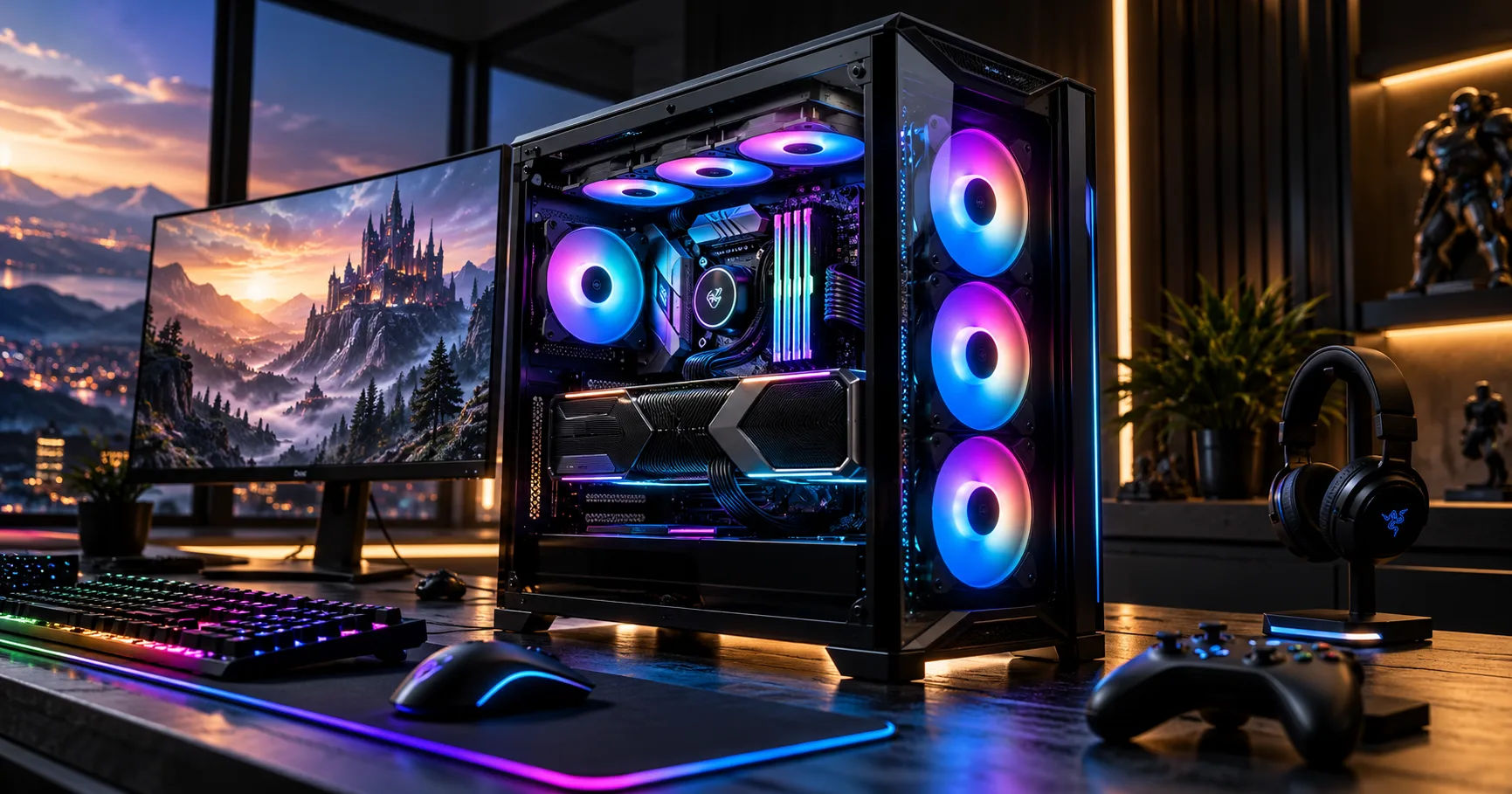 A gaming pc 9800x3d configuration featuring the RTX 5080 is an excellent option for players who want high frame rates, detailed graphics, and strong performance in demanding modern games. The Ryzen 7 9800X3D is designed with gaming in mind, while the RTX 5080 offers powerful graphics processing, ray tracing, and AI-powered rendering features.
However, choosing these components involves more than simply purchasing two high-performance products. You must also consider your monitor resolution, motherboard, cooling system, power supply, memory, and budget. Understanding how these parts work together will help you build a balanced PC that delivers the performance you expect.
This comprehensive guide explains whether the Ryzen 7 9800X3D and RTX 5080 make a good combination, what performance you can expect, and how to build a reliable system around them.
The Ryzen 7 9800X3D and RTX 5080
Before deciding whether these components belong in the same computer, it is helpful to understand what each one contributes to gaming performance.
What Makes the Ryzen 7 9800X3D Special?
The AMD Ryzen 7 9800X3D is an eight-core, 16-thread desktop processor based on AMD's Zen 5 architecture.
Its major advantage is 3D V-Cache technology, which provides a large amount of additional cache memory. This helps the processor access frequently needed game data quickly, improving performance in many CPU-sensitive games.
The processor has eight cores and 16 threads, making it suitable for gaming, streaming, multitasking, and many productivity applications. Its large cache can be especially valuable in games that rely heavily on the CPU to manage game logic, character behavior, physics, and background calculations.
The 9800X3D is designed to deliver excellent gaming performance without requiring an unusually expensive workstation-class processor. For most gaming-focused builds, its capabilities are more than sufficient.
What Does the RTX 5080 Bring to the Build?
The NVIDIA GeForce RTX 5080 is a high-performance graphics card built on NVIDIA's Blackwell architecture.
It features 16 GB of GDDR7 graphics memory and supports advanced ray tracing, DLSS technologies, and AI-assisted frame generation.
The RTX 5080 is designed for demanding gaming workloads, including 1440p high-refresh-rate gaming and 4K gaming with detailed visual settings. It can also support creative applications, 3D rendering, and other GPU-intensive tasks.
Its advanced graphics capabilities make it an attractive choice for players who want realistic lighting, detailed textures, and smooth gameplay in visually demanding titles.
Together, these components offer a strong foundation for a premium gaming computer.
Is the Ryzen 7 9800X3D Compatible with the RTX 5080?
Yes. The Ryzen 7 9800X3D and RTX 5080 are compatible and make a very strong combination for a high-end gaming computer.
The processor uses AMD's AM5 socket, supports DDR5 memory, and provides PCIe 5.0 connectivity. The RTX 5080 also supports PCIe 5.0, so the two components can operate together on a suitable AM5 motherboard.
There is no need to purchase a more expensive Ryzen 9 processor just to use the RTX 5080 for gaming. The Ryzen 7 9800X3D already provides excellent gaming-focused performance.
However, compatibility does not automatically mean every build will perform equally well. Your motherboard, RAM configuration, cooling, graphics settings, and power supply can all influence the final result.
Will the Processor Bottleneck the Graphics Card?
A bottleneck occurs when one component limits how much performance another component can deliver.
For example, if a processor cannot prepare frames quickly enough, a powerful graphics card might not reach its full potential. Conversely, when a graphics card is working at its maximum capacity, upgrading the processor may produce only a small improvement.
The Ryzen 7 9800X3D is particularly well suited to reducing CPU-related limitations in many games because of its large cache and strong gaming performance.
At 1080p, some games may become CPU-limited when targeting extremely high frame rates. At 1440p and 4K, the graphics card generally has more work to do, so the GPU often becomes the primary performance limit.
This means a gaming pc 9800x3d paired with an RTX 5080 is a balanced choice for a wide range of gaming situations. There is no universal bottleneck percentage that accurately describes every game, resolution, and graphics setting.
Gaming Performance at Different Resolutions
Your monitor resolution is one of the most important factors when deciding whether this combination is right for you.
1080p Gaming
At 1080p, the RTX 5080 has substantial graphics-processing power available. In competitive games with low graphics settings, the Ryzen 7 9800X3D can help deliver very high frame rates.
Games such as Counter-Strike 2, Valorant, and Fortnite can benefit from a fast processor, particularly when your goal is to maintain high frame rates on a 240Hz, 360Hz, or faster monitor.
However, the RTX 5080 may be more powerful than necessary for someone who plays lightweight competitive games at 1080p. A less expensive graphics card could offer better value if those are the only games you play.
For players who also enjoy demanding single-player titles, the RTX 5080 still provides flexibility for increasing visual quality.
1440p Gaming
1440p is an excellent middle ground between visual quality and high frame rates.
At this resolution, the RTX 5080 can handle demanding games with detailed textures, high settings, and ray tracing, although results depend on the game and graphics configuration.
The Ryzen 7 9800X3D helps maintain strong CPU performance, which is especially useful in crowded scenes, complex simulations, and games with many characters or background calculations.
A high-refresh-rate 1440p monitor is a sensible partner for this system. It lets you benefit from both the processor's gaming strengths and the graphics card's rendering capabilities.
For many enthusiasts, this resolution offers the best overall balance between responsiveness, sharp visuals, and hardware utilization.
4K Gaming
The RTX 5080 is especially attractive for 4K gaming because rendering at 3840 × 2160 requires significantly more graphics processing than rendering at 1080p.
The GPU can deliver detailed visuals, realistic lighting, and strong performance in demanding modern games. The 16 GB of GDDR7 memory also provides useful capacity for high-resolution textures, although exceptionally demanding games can still encounter memory limitations.
The Ryzen 7 9800X3D complements the graphics card by ensuring that CPU performance is not unnecessarily restrictive.
For 4K gaming, this combination is generally more than powerful enough for a premium experience. Nevertheless, native 4K with maximum ray tracing can be demanding, so some games may require DLSS or adjusted settings to reach your preferred frame rate.
Actual performance varies with game updates, drivers, graphics presets, and whether frame generation is enabled. Avoid relying on one benchmark to predict results across your entire game library.
How DLSS and Ray Tracing Improve the Experience
The RTX 5080 offers more than traditional graphics rendering. Its supported NVIDIA technologies can improve image quality and perceived smoothness when used appropriately.
DLSS and Frame Generation
DLSS uses AI-assisted techniques to improve performance and image reconstruction in supported games. Depending on the game, supported features can include Super Resolution, Ray Reconstruction, and frame generation.
These technologies are particularly useful when playing at 4K or enabling demanding ray-tracing effects.
Frame generation creates additional displayed frames, which can make movement look smoother. However, generated frames do not replace the responsiveness provided by genuinely rendered frames. For competitive games, input latency and the underlying frame rate still matter.
The Ryzen 7 9800X3D provides a strong base frame rate in CPU-sensitive games, while the RTX 5080 can use its graphics technologies to improve the overall experience.
Ray Tracing
Ray tracing simulates aspects of how light interacts with surfaces, helping produce realistic reflections, shadows, and illumination.
These effects can make supported games look considerably better, but they also increase GPU workload.
With the RTX 5080, you can experiment with advanced ray tracing at high resolutions. If performance falls below your target, consider reducing individual effects or enabling DLSS rather than automatically lowering every graphics setting.
A gaming pc 9800x3d configuration is particularly appealing for players who want both strong conventional rendering and access to modern AI-assisted graphics features.
Recommended Components for a Balanced Build
The processor and graphics card are only two parts of the complete system. Choosing suitable supporting hardware will help prevent avoidable problems.
|
Component |
Recommended choice |
Why it matters |
|---|---|---|
|
Processor |
AMD Ryzen 7 9800X3D |
Strong gaming performance |
|
Graphics card |
NVIDIA GeForce RTX 5080 |
High-end 1440p and 4K gaming |
|
Motherboard |
Quality B850, B650E, X870, or X870E AM5 board |
Compatibility and connectivity |
|
Memory |
32 GB DDR5, preferably a matched 2 × 16 GB kit |
Good capacity for modern games |
|
Storage |
1–2 TB NVMe SSD |
Fast loading and space for games |
|
Power supply |
Quality 850 W unit, with suitable connectors |
Reliable power delivery |
|
CPU cooling |
Quality air cooler or suitable liquid cooler |
Controls processor temperatures |
|
Case |
Airflow-focused mid-tower or larger |
Clearance and effective cooling |
These are practical starting points rather than mandatory specifications. Your needs may differ depending on your games, workload, preferred case size, and upgrade plans.
Choosing the Right Motherboard
The motherboard must support the AM5 socket and Ryzen 9000-series processors. Check the manufacturer's CPU support list and BIOS requirements before purchasing.
A B850 or B650E motherboard can be sufficient for a gaming-focused build. More expensive X870 or X870E boards may offer additional connectivity, expansion options, or storage features, but they do not automatically produce higher gaming frame rates.
Look for a reliable power-delivery design, sufficient M.2 slots, convenient USB connectivity, and the features you actually intend to use.
How Much RAM Do You Need?
For most gaming builds, 32 GB of DDR5 memory is a sensible starting point.
A matched two-module kit is generally preferable to mixing unrelated memory kits. DDR5-6000 is a common target for AM5 enthusiast builds, although the best stable speed depends on the processor, motherboard, BIOS, and memory kit.
Enable AMD EXPO if your memory supports it and the system remains stable. Remember that advertised memory speeds may be classified as overclocking rather than guaranteed default operating speeds.
If you regularly run virtual machines, edit large video projects, or use memory-heavy professional applications, 64 GB may be worth considering.
Selecting the Right SSD
A fast NVMe SSD reduces loading times and makes the computer feel responsive. A 1 TB drive can work for a smaller game library, while 2 TB offers more room for large modern games.
Check the motherboard's M.2 slot configuration and whether installing multiple drives affects other ports or expansion lanes.
A PCIe 5.0 SSD is not essential for excellent gaming performance. A good PCIe 4.0 NVMe SSD can provide outstanding everyday results at a more attractive price.
Power Supply Requirements for the RTX 5080
The power supply deserves special attention because the RTX 5080 is a power-hungry graphics card.
NVIDIA specifies 360 W total graphics power and an 850 W recommended system power supply for its reference RTX 5080 configuration. Actual requirements can vary by graphics card model and the rest of the system.
Is an 850 W PSU Enough?
Yes, a good-quality 850 W power supply is a reasonable choice for a typical Ryzen 7 9800X3D and RTX 5080 gaming system.
However, do not select a PSU based on wattage alone. Look for a reputable model with strong electrical performance, appropriate protections, and the correct power connectors.
A 1000 W unit can make sense if you want additional headroom, plan to use several power-hungry components, or prefer flexibility for future upgrades. It is not automatically necessary for every build.
Check the GPU Power Connector
Many RTX 5080 models use a 16-pin power connector, although the exact arrangement depends on the card.
Before installation, check the manufacturer's instructions and use the correct compatible cable or supplied adapter. Make sure the connector is fully seated and avoid sharply bending the cable immediately beside the connector.
Poor connections can create heat and reliability problems. Careful cable routing is especially important in compact cases.
Cooling and Airflow Considerations
A powerful processor and graphics card can produce substantial heat during extended gaming sessions. Proper cooling helps maintain stable performance and keeps fan noise under control.
Cooling the Ryzen 7 9800X3D
AMD lists the processor with a 120 W default TDP and a maximum operating temperature of 95°C. A suitable cooler is not included with the boxed processor.
A good tower air cooler can be sufficient for many gaming systems. A quality 240 mm or larger liquid cooler is another option, particularly if you prefer its appearance or want a different acoustic profile.
You do not need an expensive liquid cooler simply because the processor is high-end. Choose a reliable cooler based on its performance, noise levels, case compatibility, and price.
Keeping the RTX 5080 Cool
The graphics card needs enough space to draw in cool air and exhaust heat. A case with a mesh front panel and several well-positioned fans is a practical choice.
A common starting configuration is two or three front intake fans and one rear exhaust fan. The exact arrangement depends on the case and cooler design.
Also check the graphics card's dimensions before buying. NVIDIA's reference specifications list a length of approximately 304 mm, but partner cards can be considerably larger. Some models measure around 340 mm or more.
Leave enough space for the power cable, maintain clear airflow around the card, and clean dust filters periodically.
Is This Combination Good for Streaming and Productivity?
Yes. Although the Ryzen 7 9800X3D is primarily attractive to gamers, its eight cores and 16 threads can also handle many everyday productivity tasks.
You can play games while using voice chat, recording gameplay, browsing the web, or streaming through suitable software. The RTX 5080 also includes NVIDIA encoding capabilities that can help with video capture and streaming.
For video editing, 3D applications, and GPU-accelerated creative software, the graphics card offers substantial processing capability.
However, professionals who spend most of their time on heavily multithreaded workloads may benefit from a processor with more cores. The best choice depends on whether gaming or productivity is your primary goal.
For a mixed-use desktop, the 9800X3D and RTX 5080 are a compelling combination without requiring you to build a dedicated workstation.
Common Mistakes to Avoid
Even expensive components cannot compensate for poor system planning. Keep these issues in mind when assembling your computer.
Spending Too Much on the Motherboard
A premium motherboard is not essential for excellent gaming performance. Choose one that meets your connectivity, storage, and upgrade requirements rather than paying for features you will never use.
Buying an Inadequate Power Supply
Avoid cheap, low-quality PSUs, even if their advertised wattage looks sufficient. Reliable power delivery is important when running a powerful graphics card.
Ignoring Monitor Quality
A powerful graphics card will not automatically make a basic 60 Hz monitor feel like a high-refresh-rate gaming display.
If your budget allows, consider a good 1440p high-refresh-rate or 4K monitor. Match the display to the games you play and the experience you want.
Expecting Maximum FPS in Every Game
Performance varies widely between games. Competitive titles may achieve very high frame rates, while demanding open-world games with advanced ray tracing can be much harder to run.
Also remember that frame generation can increase displayed frame rates without providing the same improvement in input responsiveness as an equivalent increase in native rendering performance.
Forgetting BIOS and Driver Updates
Install a compatible motherboard BIOS, current chipset drivers, and the appropriate NVIDIA graphics drivers.
After building the PC, enable the intended memory profile, check temperatures, and test stability before assuming everything is working correctly.
Is the Gaming PC 9800X3D and RTX 5080 Worth the Money?
Whether this build is worth buying depends on your budget and gaming goals.
If you want premium performance, play demanding games, and intend to use a high-refresh-rate 1440p or 4K monitor, the combination makes considerable sense.
If you mainly play older games or esports titles at 1080p, you may get better value from a less expensive graphics card. The money saved could go toward a better monitor, larger SSD, improved peripherals, or other upgrades.
Prices also matter. Compare the cost of the complete system rather than judging value by the processor and GPU alone. Include the motherboard, memory, storage, cooling, power supply, case, and monitor when setting your budget.
For buyers in markets where imported PC hardware is expensive, local pricing, warranty coverage, and the availability of replacement parts can influence the decision just as much as benchmark performance.
The goal is not simply to purchase the most powerful components you can afford. It is to build a computer that performs well in your favorite games and remains practical to own over time.
Conclusion
The AMD Ryzen 7 9800X3D and NVIDIA GeForce RTX 5080 are an excellent match for a high-end gaming PC. Their compatibility, strong gaming performance, and support for modern graphics technologies make them suitable for enthusiasts who want a powerful and versatile system.
The Ryzen 7 9800X3D provides eight cores, 16 threads, and a large cache that benefits many CPU-sensitive games. The RTX 5080 delivers advanced graphics processing, 16 GB of GDDR7 memory, ray tracing, and DLSS features. Together, they can provide an outstanding experience at 1440p and 4K, while also supporting competitive gaming at lower resolutions.
To get the best results, pair these components with a compatible AM5 motherboard, 32 GB of DDR5 memory, a fast NVMe SSD, effective cooling, and a reliable 850 W or suitably higher-rated power supply. Check the dimensions and connector requirements of your specific graphics card before assembling the system.
Most importantly, choose your components around your monitor, gaming preferences, and total budget. A more expensive motherboard or liquid cooler will not necessarily improve your frame rates, and no hardware combination guarantees identical performance in every game.
Overall, the gaming pc 9800x3d paired with the RTX 5080 is a highly capable choice for gamers who value high frame rates, detailed visuals, and long-term flexibility. If your budget supports it and you plan to take advantage of the graphics card's capabilities, this combination is well worth considering.